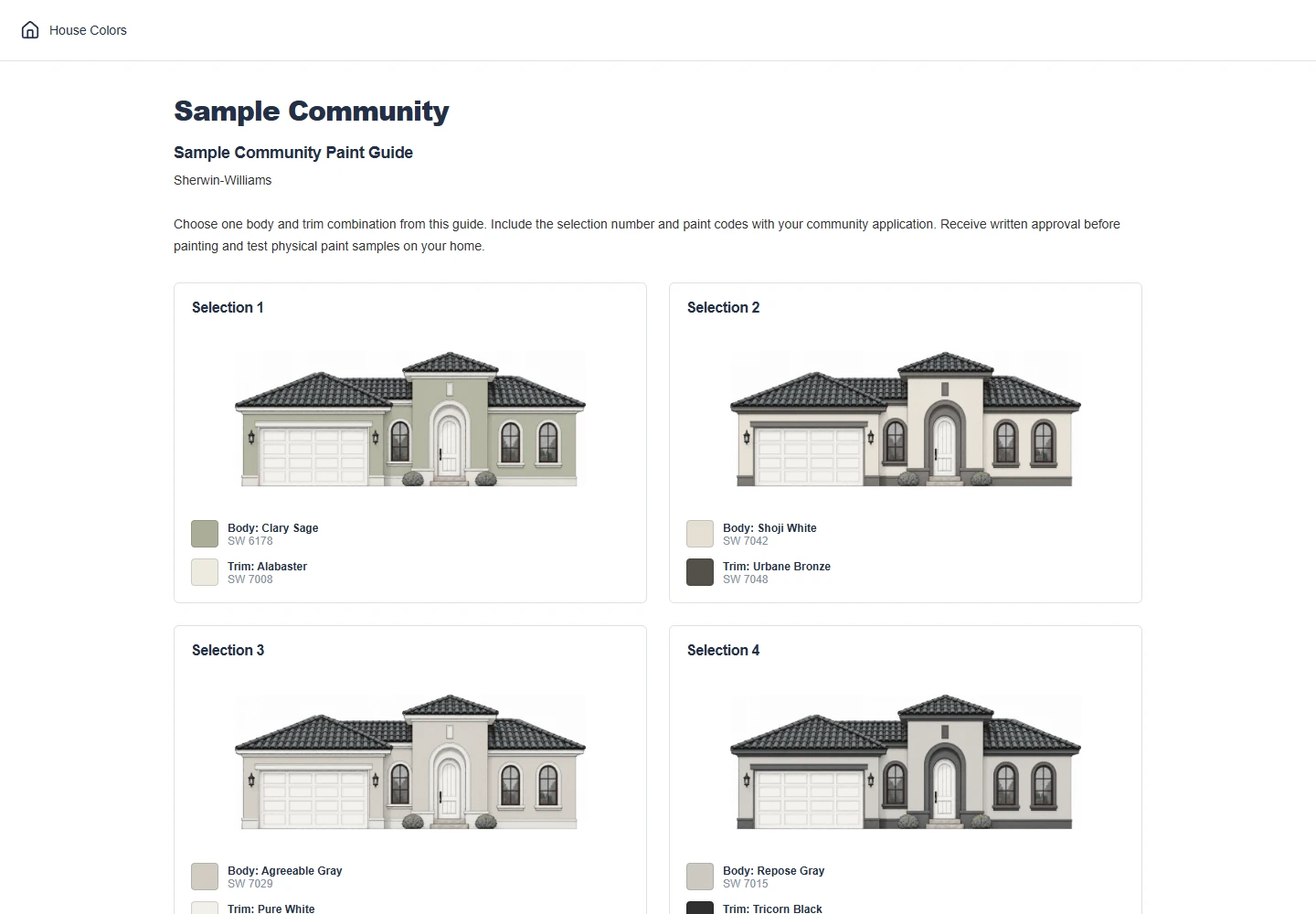
Paint Color Guides for Your Community
PickPaints helps homeowners associations (HOAs) and communities create exterior paint color selections for residents choosing colors for their homes. Pair body and trim colors from trusted paint brands, preview combinations on different house styles, and organize your community's approved paint schemes. Download paint guides as PDF files to email, print, and distribute to residents, or host your community's color selections on a page residents can access with a four-digit code, without an account. PDF downloads and online hosting are available separately, so you can choose either option or use both.
Build Your Community's Color Selections
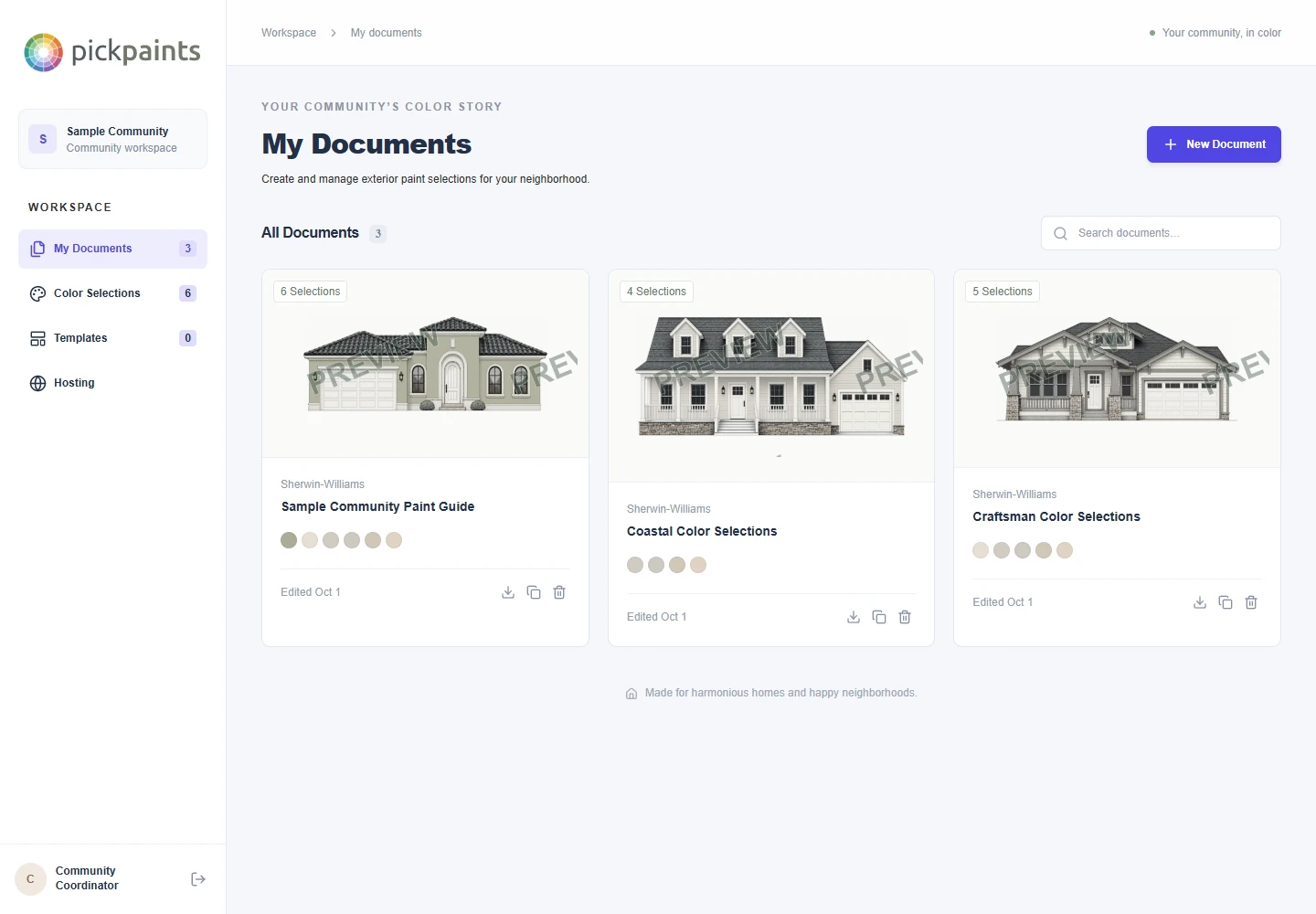
Start in My Documents to create your first paint guide or return to a saved document.
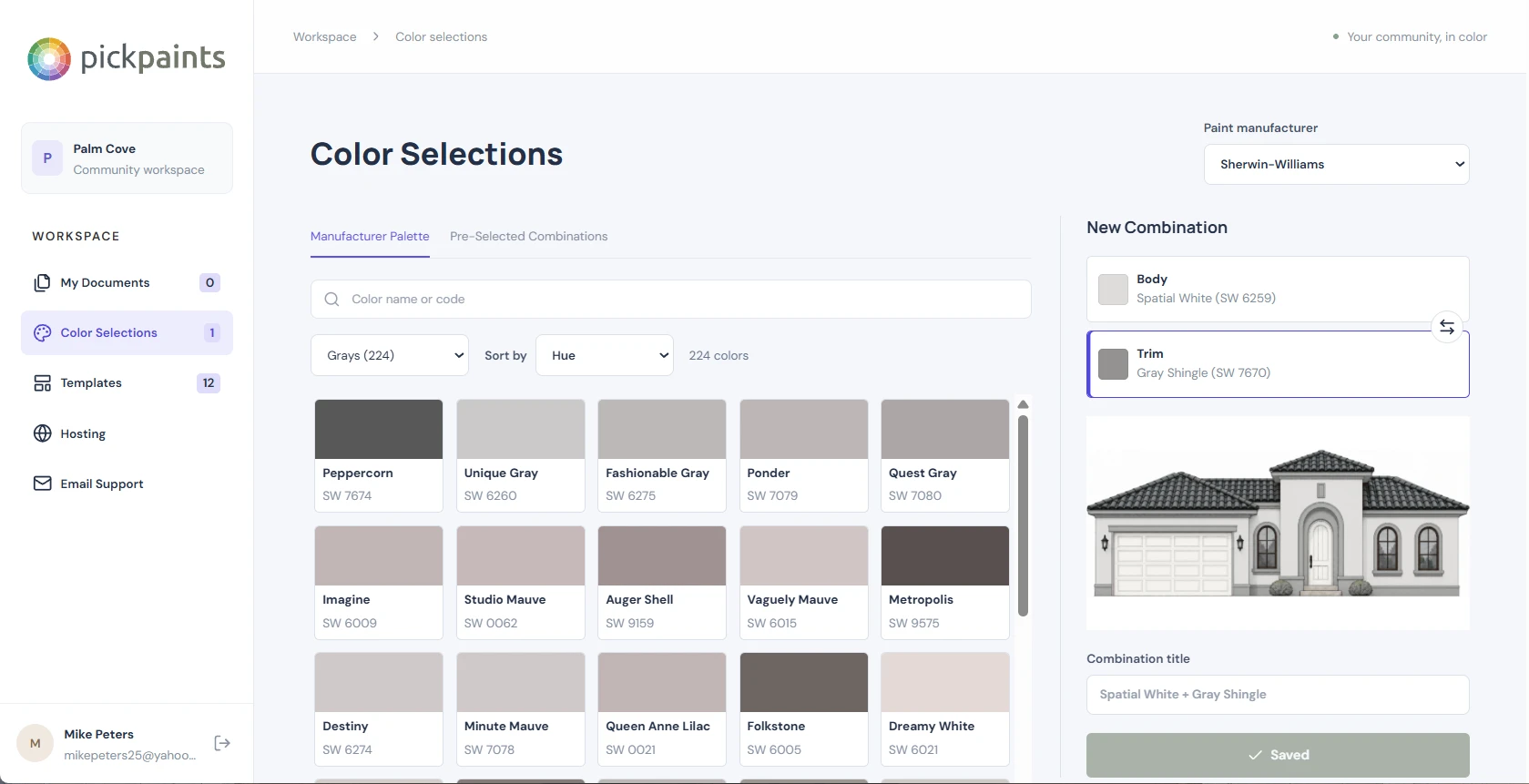
Save body and trim combinations
In Color Selections, choose a paint manufacturer and search by color name or code. Pair a body color with a trim color, preview the combination on a house, and save it for your guides.
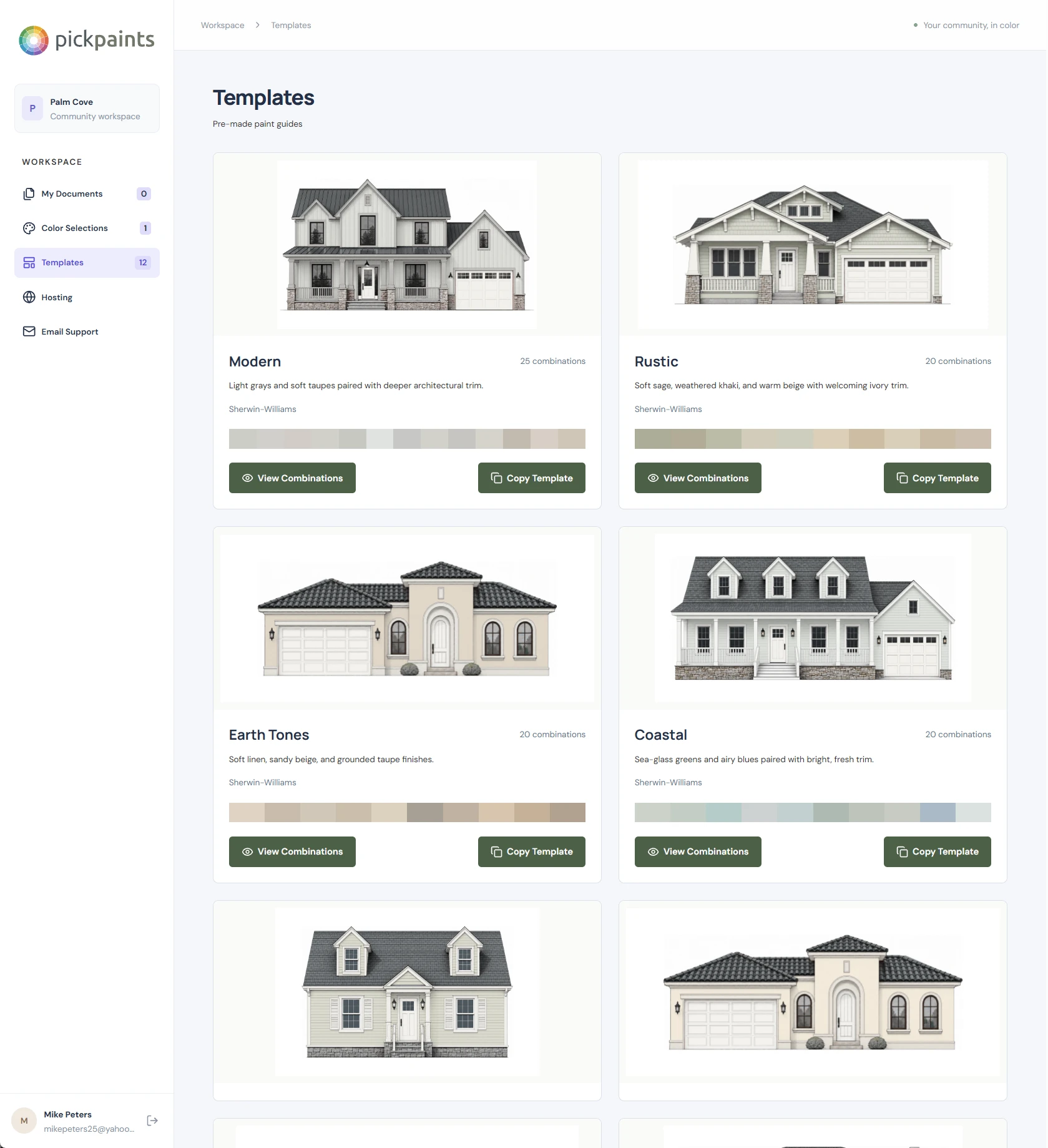
Start with a template
Browse themed guides such as Modern, Rustic, Earth Tones, and Coastal. View their combinations or copy a template to use as a starting point for your community.
Make the guide your own
Name your document, choose a house style, and add your saved combinations. Select roof and door colors, include instructions for residents, and review the page preview before saving.
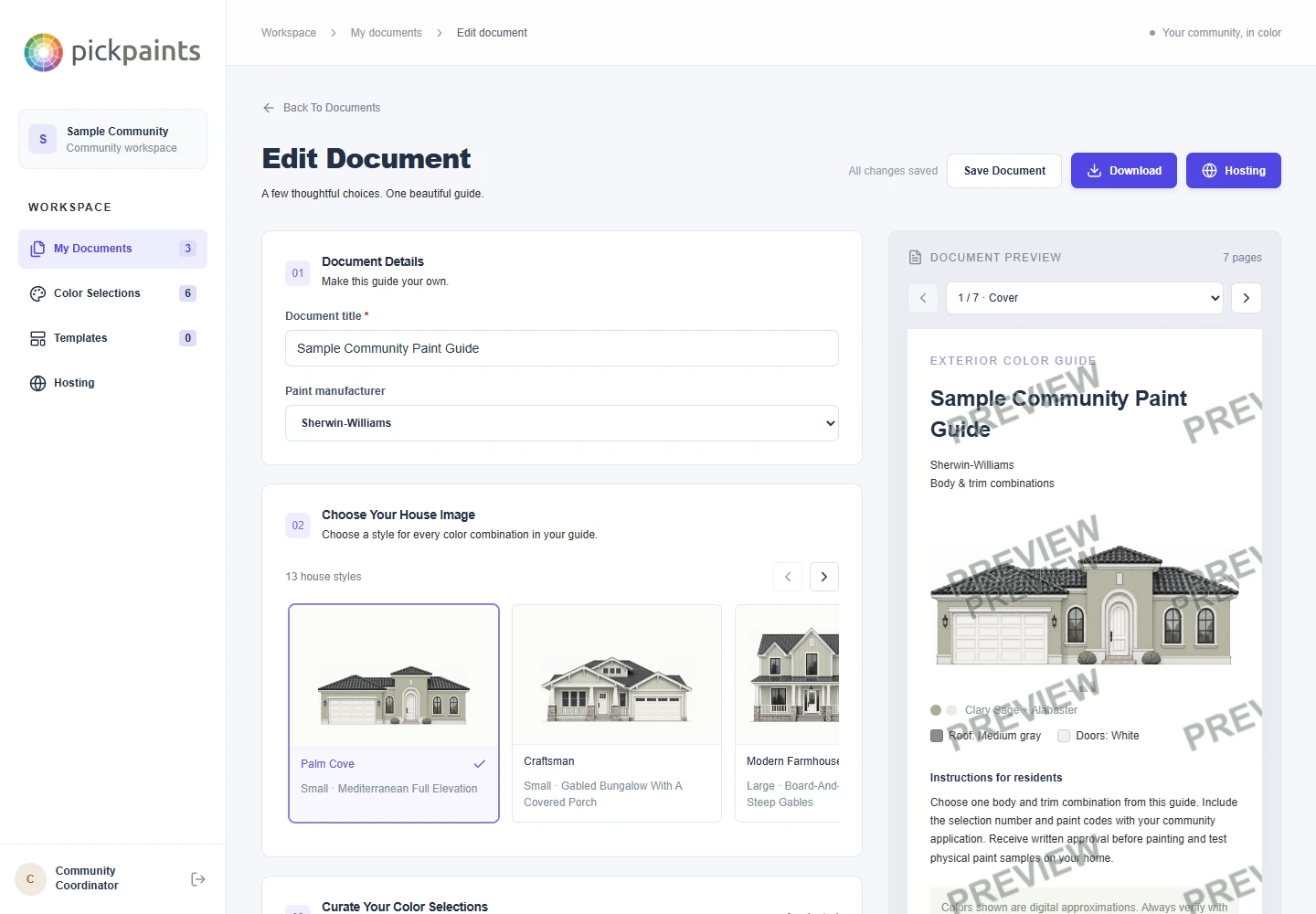
Download PDFs to Distribute to Residents
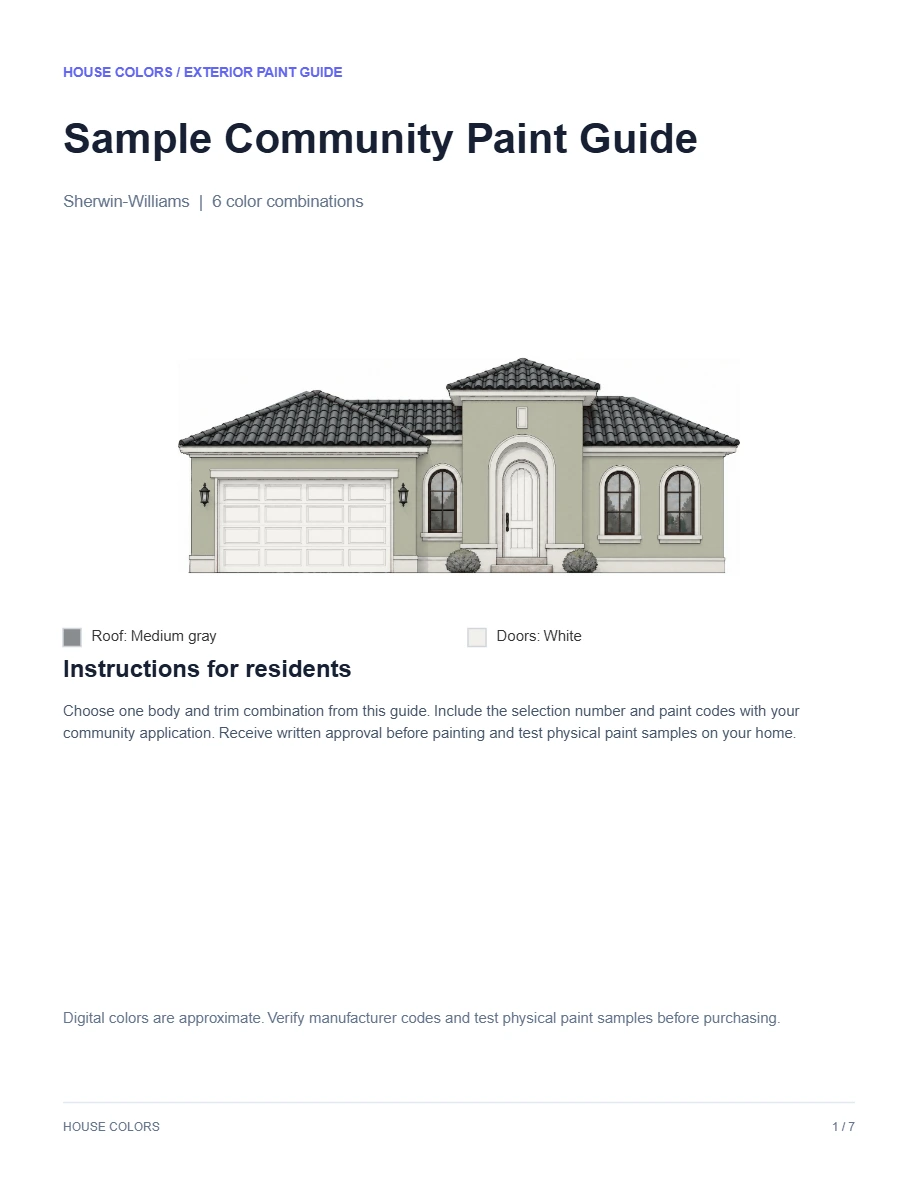
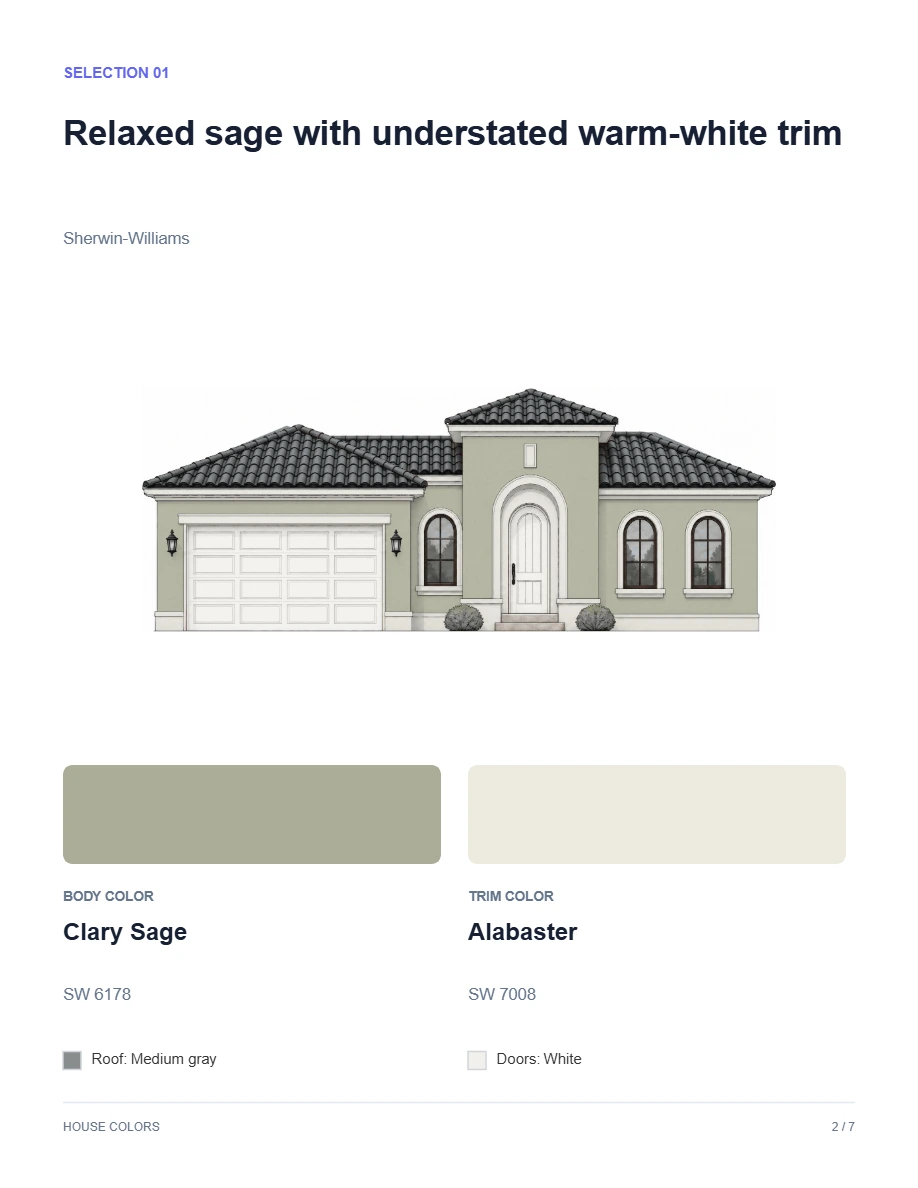
Email your PDF paint guide, print copies for a meeting, or distribute it with your community's painting instructions. Each guide includes a cover, resident instructions, and individual selection pages with house illustrations, body and trim colors, and manufacturer paint codes.
$25 per guide purchase includes the initial download and three revised downloads. Unchanged re-downloads do not use an edit. Online hosting is a separate option.
Host Your Colors on a Public Resident Page
Give your community one link to its published paint selections. Set a four-digit resident access code in Hosting and share it with your community. Residents enter the code to browse house previews and color codes without creating an account. Publish an updated guide from your workspace whenever your community's approved selections change.
Hosting is $10 per month. PDF downloads and online hosting are available separately. Use either option or both.